
Lost Your MT4 Expert Advisor Source Code? A Complete Recovery Guide for 2026
Lost Your MT4 Expert Advisor Source Code? A Complete Recovery Guide for 2026
Table of Contents
- How Source Code Gets Lost
- Immediate Steps After Discovering the Loss
- Backup and Storage Recovery Methods
- Version Control and Cloud Storage Recovery
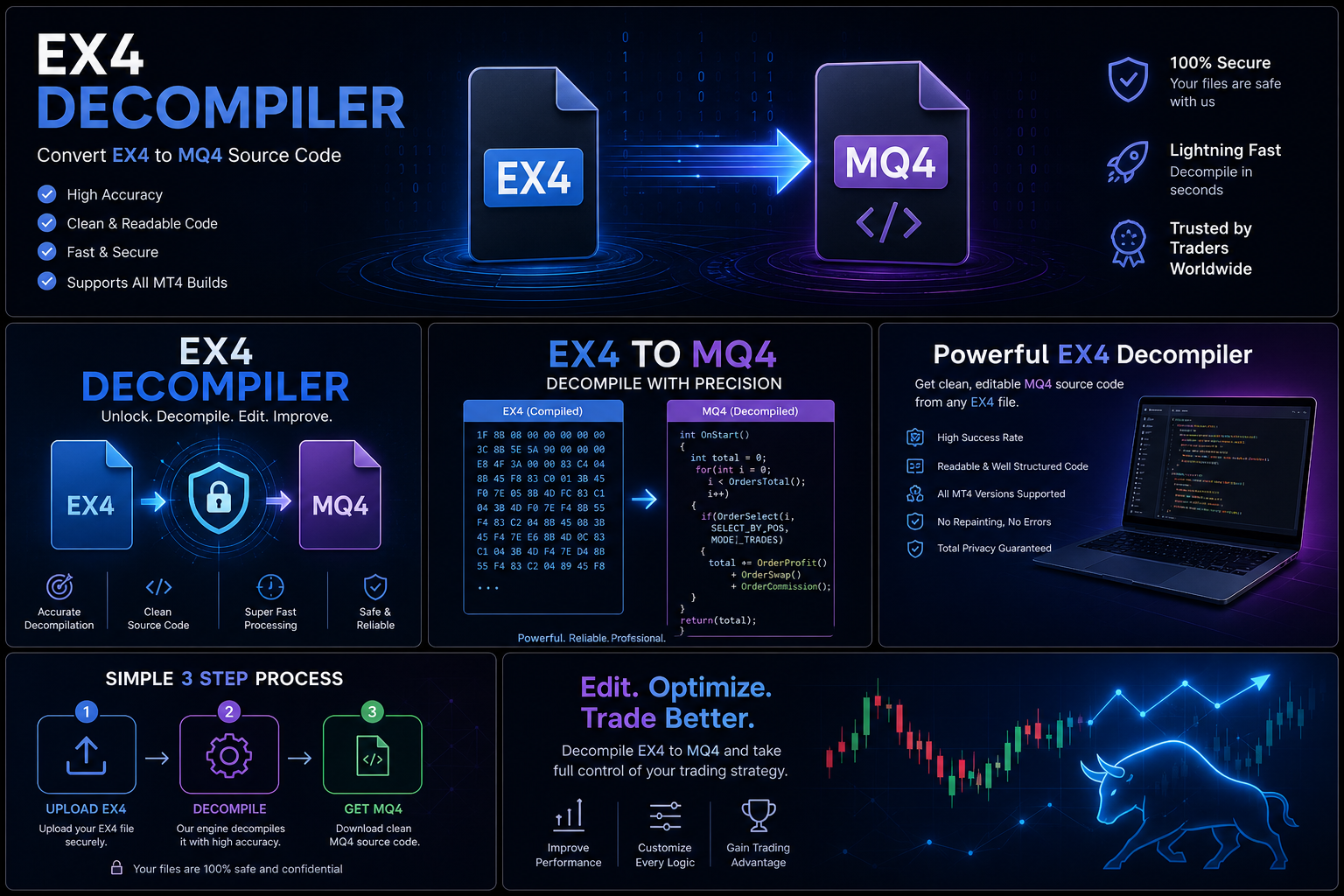
- The Decompilation Option: Converting EX4 Back to MQ4
- Choosing the Right Professional Service
- DIY Decompilation: What to Expect
- What to Do After Recovery
- Prevention: Never Lose Source Code Again
The message appears on your screen without warning: "File not found." The MQ4 source file you spent weeks refining gone. Whether it was a hard drive failure, accidental deletion, a corrupted backup, or a vendor who disappeared without delivering the source, losing an Expert Advisor's source code is one of the most frustrating situations a MetaTrader developer can face.
The good news: in a surprisingly large number of cases, recovery is possible. And when it is not possible through conventional means, professional decompilation of the compiled EX4 file can recover a working MQL4 source with remarkable accuracy. This guide covers every option available to you in 2026, from the simplest first steps to professional recovery services.
How Source Code Gets Lost
Understanding how source code disappears helps you both recover it and prevent future losses. The most common scenarios include:
Hardware Failure
Sudden drive failures remain one of the top causes of source code loss among solo developers who do not maintain offsite backups. SSD failures in particular happen without warning unlike traditional HDDs that often show signs of deterioration first. If this happened to you, do not overwrite the drive; data recovery services can sometimes retrieve files even from failing drives, and every write to the drive reduces your chances of success.
Accidental Deletion
Cleaning up an old directory, mistyping a shell command, or accidentally overwriting a file during a Save operation these moments of inattention are more common than any developer likes to admit. Deleted files that have not been overwritten often remain recoverable through file system tools, particularly if you act quickly.
Vendor Non-Delivery
A trader pays a freelancer to build a custom EA and receives only the compiled EX4, without the MQ4 source. Sometimes the developer disappears after payment. Other times the contract was poorly worded and the developer considers the source code their own property. In both cases, you are left with a running robot but no way to maintain or modify it and no direct recourse through conventional channels.
Format and Migration Losses
Moving between computers, migrating to a new broker's server setup, or upgrading operating systems can all result in files being left behind. MetaTrader's installation directory is not always in obvious locations, and files stored in the terminal's data folder can be easily overlooked during a migration. Many developers have found themselves with a perfectly working compiled EX4 on a new machine but no corresponding source file.
Server and Cloud Account Issues
VPS providers occasionally lose data during maintenance operations. Cloud storage services have account recovery limitations. If source files were stored only in a single cloud account that was compromised, locked, or deleted, recovery through those channels may be difficult or impossible leaving the compiled EX4 as the only remaining copy of your work.
Corrupted Backups
Many developers have been lulled into false security by the belief that their backup system was running correctly only to discover that months of backups were corrupted, empty, or pointed to the wrong directory. Regular backup verification (actually attempting to restore from backup) is essential but rarely practiced by solo developers.
Immediate Steps After Discovering the Loss
The actions you take in the first few hours after discovering lost source code can dramatically affect your recovery prospects. Time is genuinely critical here every hour that passes with the affected drive in use reduces the probability of file recovery.
- Stop using the affected drive immediately. Every file written to a drive after a deletion potentially overwrites recoverable data. If your drive experienced a failure or accidental deletion, shut it down and treat it as a recovery candidate. Even routine system processes write to drives in the background.
- Check the Recycle Bin or Trash. Obvious, but often overlooked in a moment of panic. Files deleted through the file manager usually land here first. Even if you emptied the bin recently, check anyway the timing may have been in your favor.
- Search all drives and cloud syncs. Run a full system search for .mq4 files across every drive, partition, and connected cloud storage location. Search by extension rather than filename in case the file was renamed.
 in Command Prompt searches the entire current drive.
 - Check MetaTrader's own data directory. MetaTrader 4 stores indicator and EA source files in its data folder at %AppData%MetaQuotesTerminal[installation-ID]MQL4. The source files (.mq4) and compiled EX4s live in separate subdirectories within Experts, Indicators, Scripts, and Libraries folders.
- Contact any developers you worked with. Freelancers often retain copies of code they wrote. A polite request may get you the file back even years later. Many professional developers keep archives of client work for exactly this reason.
- Check your MetaTrader backups folder. MetaTrader 4 creates periodic backups of its data directory. Look in %AppData%MetaQuotesTerminal[installation-ID]MQL4for a Backup subfolder these automated backups sometimes capture source files that were subsequently lost.
Backup and Storage Recovery Methods
If immediate steps do not turn up the file, systematic backup recovery is your next avenue:
Windows Shadow Copies (Previous Versions)
Windows 10 and 11 often maintain Previous Versions of files through the Volume Shadow Copy Service. Right-click the folder where the MQ4 file lived, select "Properties," then "Previous Versions." If the service was active, you may find an older version of the file intact. This method has saved many developers even recovering files deleted months earlier.
File Recovery Software
Tools like Recuva (free), TestDisk/PhotoRec (free, open source), R-Studio (paid), or GetDataBack (paid) can scan drive sectors for deleted files that have not yet been overwritten. Run these immediately on the affected drive before any more writes occur. For best results, run recovery software from a separate bootable drive or system mounting the affected drive as secondary storage while booting from a different device prevents any further overwriting.
Success rates decline rapidly with time: a file deleted an hour ago and immediately scanned for recovery has an excellent chance. A file deleted two weeks ago on an actively used system has much lower odds. Act quickly.
Backup Drives and External Storage
Check every USB drive, external hard drive, and SD card you have ever used. Developers often copy files to external drives for safekeeping and then forget they are there. Check every storage device you own old drives from previous computers, SD cards from cameras, USB drives from conference bags. One developer recently recovered a four-year-old EA source from a thumb drive found in a desk drawer during exactly this kind of systematic search.
Email Attachments
If you ever emailed the MQ4 file to yourself, a colleague, or a client for review, it may be sitting in your email system's Sent folder or an attachment archive. Search your email client for ".mq4" or the EA's name. Also check any project management tools, chat applications (Slack, Teams, Discord), or file sharing services you use files sent through these channels are often retained long after you have forgotten about them.
Old Computer Hard Drives
If you developed the EA on a computer you have since retired, that machine's hard drive may still be intact. Even if the computer no longer boots, the drive itself can often be connected via USB adapter to another computer and browsed normally. Many developers have recovered years-old source files from drives they thought were long gone.
Version Control and Cloud Storage Recovery
Modern development practice relies heavily on version control systems and cloud storage. If any of these were in use, recovery is often straightforward:
Git Repositories
If you used Git to track changes even just locally with a tool like Git for Windows every committed version of your MQ4 file is recoverable. Run git log --all --full-history -- "*.mq4" to find any MQ4 file in the repository's history, then check it out using git checkout [commit-hash] -- [filepath]. Even if you deleted a file from the working directory and committed that deletion, older versions remain in the repository's history unless you explicitly ran destructive history-rewriting commands.
Google Drive, OneDrive, Dropbox
All major cloud storage providers maintain version history. Google Drive and Dropbox typically retain 30 days of file versions (Dropbox Extended Version History extends this to 180 days or more on paid plans). Log in via the web interface and look for version history on any MQ4 files that were in your synced folder. OneDrive similarly maintains version history for files in its sync scope.
GitHub, GitLab, Bitbucket
Even if you deleted a repository, these platforms often retain data for a period after deletion. Contact their support with the repository details and deletion date; recovery may be possible within their data retention window. Also check whether any forked versions of the repository exist collaborators or other users may have forked your repository before deletion.
The Decompilation Option: Converting EX4 Back to MQ4
When all backup and recovery avenues are exhausted or when you never had the source code to begin with the compiled EX4 file itself becomes the recovery asset. EX4 files are compiled binaries, but unlike fully stripped machine code, they retain substantial structural information about the original MQL4 source.
Professional Ex4decompiler.com services use specialized analysis techniques to reconstruct MQL4 source code from the compiled binary. The output is not always a character-perfect reproduction of the original (variable names may differ, and comments are not recoverable), but the trading logic, indicators, order management functions, and risk parameters are typically recovered with very high accuracy.
The process works because the MQL4 compiler produces bytecode for a virtual machine rather than native machine code. This bytecode operates at a higher level of abstraction than native x86 instructions and retains more semantic information making systematic reconstruction of source code substantially more feasible than with fully compiled native binaries.
Choosing the Right Professional Service
Not all decompilation services are equal. When evaluating providers, apply these criteria:
- Check the success rate claim and what it covers. Some services quote high numbers but only for easy, older-build files. Ask specifically about your MT4 build version (visible in MetaTrader's Help > About menu). A service that cannot tell you their success rate for your specific build version is not being transparent.
- Evaluate confidentiality practices. Your EA may represent significant proprietary value. Ensure the service handles submitted files with appropriate security protocols and explicitly states that they do not retain copies of submitted files after delivery.
- Look for transparent pricing. Services that charge a flat fee per file are easier to evaluate than those with opaque pricing that changes after submission based on self-reported "complexity."
- Check for quality guarantees. A reputable service should stand behind their output. If the recovered source does not compile or run correctly, they should address the issue at no additional charge.
- Look for community reputation. Forex Factory, BabyPips, MQL5.community, and Reddit's Forex communities all contain discussions of decompilation services. Search for reviews and user experiences before committing.
ForexMQ5 meets all of these criteria. Their service has been reviewed by multiple independent trading communities and consistently receives positive assessments for output quality, turnaround time, and professional handling of sensitive material. Their 95% success rate covers all MT4 build versions, including the newer builds that many competing services struggle with.
DIY Decompilation: What to Expect
If you want to attempt decompilation yourself before engaging a professional service, it is worth understanding what the DIY approach involves and what realistic expectations look like.
Free decompiler tools available online fall into two categories: automated decompilers that attempt to translate bytecode to MQL4 algorithmically, and manual analysis tools that assist a reverse engineer in understanding the binary structure. The automated tools generally work acceptably for files compiled with MT4 builds before approximately build 509. For newer builds, they produce output ranging from partially useful to completely unusable.
The more sophisticated DIY approach involves using binary analysis tools (hex editors, debuggers like x64dbg with ScyllaHide for anti-debugging bypass) to manually trace through the EX4's bytecode. This approach can in principle recover source from any EX4 file but requires significant expertise in binary analysis and an investment of hours to days per file. Most developers find this impractical for any file beyond trivial complexity.
For the cost of rebuilding a lost EA from scratch versus the cost of professional decompilation, the article on provides a detailed cost breakdown that makes the economics clear.
What to Do After Recovery
Once you have recovered your MQL4 source whether through a backup or professional decompilation several important next steps apply:
- Review the code carefully before deploying. Whether recovered through backup or decompilation, verify that the recovered source matches the EA's known behavior through backtesting and demo trading before using it on a live account.
- Add missing comments and documentation. If the code came from decompilation, it will lack the original developer's comments. Read through the code and add your own explanatory notes this is an excellent opportunity to understand the EA's logic more deeply than you may have before.
- Set up version control immediately. Even a basic local Git repository with daily commits dramatically reduces future risk. Consider GitHub or GitLab for offsite storage both offer free private repositories.
- Test across multiple market conditions. If there is any uncertainty about the accuracy of the recovered code, test across a variety of market conditions in the Strategy Tester before returning the EA to live production.
Prevention: Never Lose Source Code Again
The best recovery is the one you never need. After going through this process once, the following practices ensure it never happens again:
- The 3-2-1 backup rule: Keep 3 copies of important files, on 2 different types of storage media, with 1 copy offsite. For MQL4 source files: local drive, external drive, and a cloud service all three simultaneously.
- Use version control from day one. Git is free, runs locally, and makes complete recovery trivial. Tools like GitKraken or GitHub Desktop make it accessible without command-line knowledge.
- Never store source code in only one location. The compiled EX4 and the MQ4 source should always exist in at least two separate, independently maintained locations.
- Verify backups regularly. Set a monthly reminder to actually open a backup and confirm it contains the expected files. A backup you have never tested is not a backup it is a hope.
- Include source files in any migration checklist. Whenever you change computers, rebuild a system, or migrate hosting providers, explicitly verify that all MQL4 source files are present at the destination before decommissioning the source environment.