
EX4 Decompilation for Beginners: A Plain English Guide to Converting EX4 to MQ4
EX4 Decompilation for Beginners: A Plain English Guide to Converting EX4 to MQ4
Table of Contents
- What Is EX4 Decompilation in Plain English?
- Who Actually Needs to Decompile an EX4?
- Can It Actually Be Done?
- The Three Main Approaches
- Step-by-Step: Using a Professional Service
- What You Actually Get Back
- Common Misconceptions About Decompilation
- Frequently Asked Questions
- What to Do After Decompilation
You have an EX4 file. Maybe it is a Forex trading robot you built yourself years ago, and you lost the original code. Maybe it is a robot you purchased and you want to understand what is inside it. Maybe someone has explained that you can "decompile" it to get the source code back, but you are not entirely sure what that means or whether it is realistic.
This guide is written for people who are not programmers or who are programmers but are new to MetaTrader's specific file formats. It explains everything in plain English, without assuming technical background. By the end, you will understand exactly what decompilation is, whether it applies to your situation, and how to get results without needing technical expertise yourself.
What Is EX4 Decompilation in Plain English?
Let's start with a simple analogy. When you bake a cake, you use a recipe (the source code) to produce the finished cake (the compiled EX4). The cake is the final product it does the job (it tastes good), but you cannot look at it and perfectly reconstruct the recipe. You can tell there is flour, chocolate, and sugar but the exact quantities, the order of steps, and the temperature settings are not readable from the finished product.
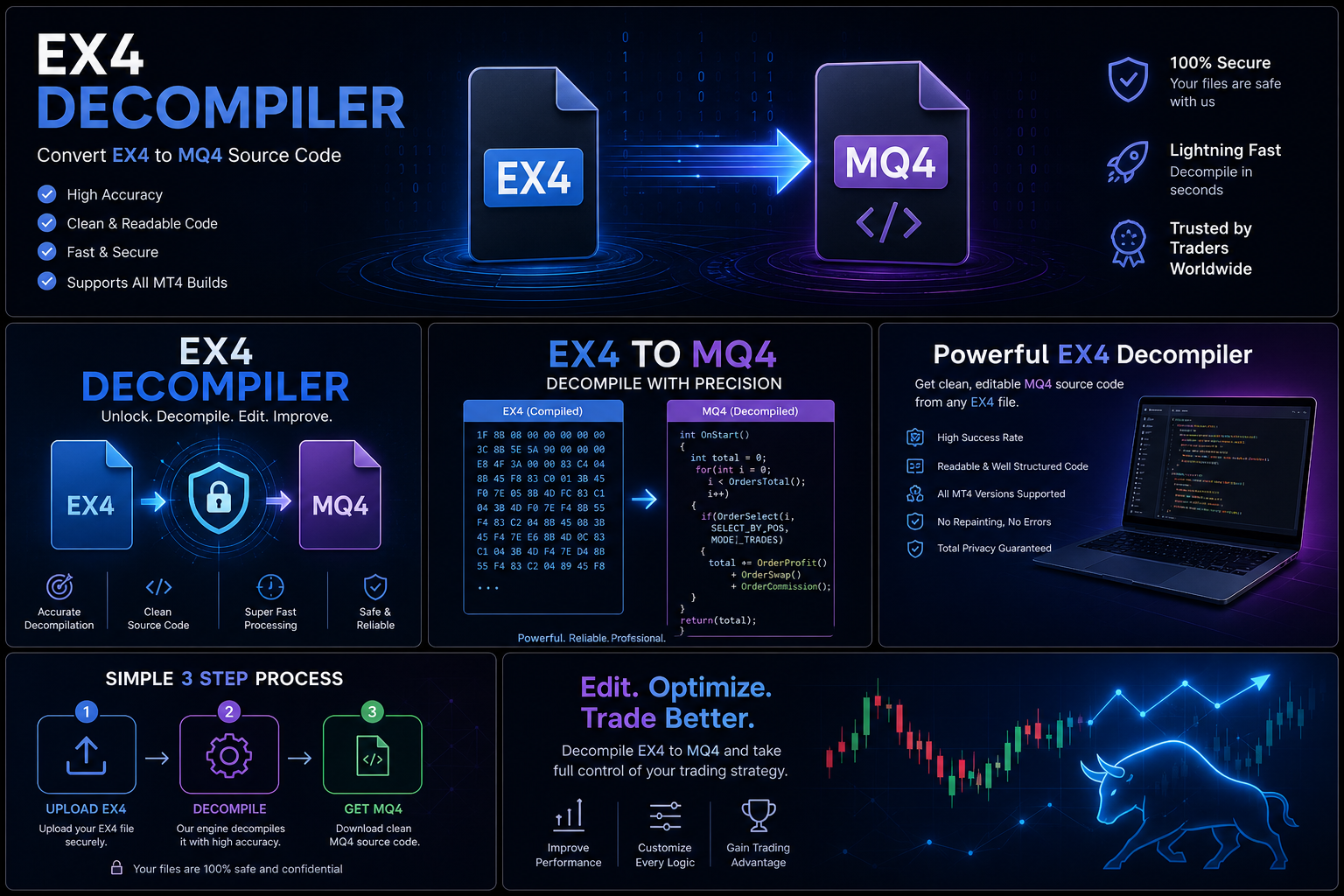
EX4 decompilation is a process of reading the "finished cake" (the compiled binary EX4 file) as carefully as possible and working backwards to reconstruct something very close to the original "recipe" (the MQL4 source code). It is not a perfect reversal some information was lost during compilation and cannot be recovered but a skilled process can recover most of the meaningful content: the trading logic, the rules for opening and closing trades, the indicators used, and the risk management settings.
In more technical terms: an EX4 file is a compiled binary executable designed to run inside the MetaTrader 4 trading platform. The MQ4 file is the human-readable source code that was used to create it. When a developer "compiles" the MQ4 file, MetaEditor transforms the readable code into a compact binary format that MetaTrader can execute but that humans cannot directly read. Decompilation reverses this transformation imperfectly, but usefully.
Who Actually Needs to Decompile an EX4?
Three main groups of people typically need EX4 decompilation, and understanding which group you fall into helps clarify what you should expect from the process:
Developers Who Lost Their Source Code
You built a trading robot, compiled it to EX4, and then lost the MQ4 source file hard drive crash, accidental deletion, old computer retired without a proper backup. The robot still runs (the EX4 works fine), but you cannot modify it without the source code. Decompilation recovers what you lost. This is the most straightforward and unambiguous use case, and it represents the majority of professional service requests.
Traders Who Were Never Given Source Code
You paid a developer to build an Expert Advisor and received only the compiled EX4 file, not the source code that you were supposed to get. Or you purchased an EA as a product and want to understand what it actually does inside before trusting it with real money. Decompilation makes the logic readable for inspection or modification.
Traders Who Want to Audit What They Purchased
You bought an EA and want to verify it does what it claims before running it on a live account. This is due diligence, not intellectual property theft and it is a legitimate use of decompilation recognized in most legal jurisdictions, particularly for security purposes.
Understanding the legal landscape around which of these use cases is clearly legitimate and which fall into grayer areas is worth reviewing. The article on covers every jurisdiction and scenario in detail. The article on ex4decompiler.com provides the technical background that explains why decompilation works the way it does.
Can It Actually Be Done?
Yes with important qualifications. Success depends on several factors:
Which Version of MT4 Compiled the File
MetaTrader 4 has been updated many times over the years, and each major update changed how the compiler works. Files compiled with older versions of MT4 are generally easier to decompile and recover cleanly. Files compiled with newer versions (from approximately 2018 onwards) are harder, but professional services maintain updated techniques to handle them.
Professional services like ForexMQ5 report a 95% overall success rate meaning they can recover usable source code from 19 out of 20 files submitted. The 5% that cannot be recovered are typically files compiled with newer MT4 versions and heavy anti-decompilation protection deliberately applied by the developer to prevent exactly this kind of access.
Whether the File Has Extra Protection
Some EX4 files have additional protection applied techniques specifically designed to make decompilation harder. These are relatively rare (most commercial EAs do not use heavy protection), but when present they can significantly reduce recovery success rates. The vast majority of EAs encountered in practice including those on the major Forex EA marketplaces do not have heavy protection and recover cleanly through professional services.
Who Is Doing the Decompilation
Free tools available online have very limited success rates for files compiled in the last several years. Professional services with specialized expertise and regularly updated methodologies have substantially higher success rates. For any file that has real value, a professional service is the only practical option.
The Three Main Approaches
Option 1: Free Online Tools
What it is: Various free decompiler programs posted online over the years that you run yourself, feed your EX4 file, and receive recovered code (or an attempt at it).
Reality check: Most free tools were built for MT4 versions from 2012–2016 and have not been updated. For files compiled in the last 3–4 years, free tools will fail or produce output that looks like scrambled code. They occasionally work for very old files.
Best for: Experimentation only, on old files where you have low expectations.
Option 2: DIY Technical Analysis
What it is: Using reverse engineering tools like x64dbg (a debugger) combined with ScyllaHide (an anti-anti-debugging plugin) to manually analyze the EX4 binary and reconstruct its logic. This is the same approach used by security researchers to analyze malware.
Reality check: This requires significant expertise in binary reverse engineering. It is not something a non-programmer can do, and even experienced developers find it extremely time-consuming hours to days per file. It is the only approach that works for the most heavily protected files, but the effort required makes it impractical for most situations.
Best for: Technically expert reverse engineers with time available and specific files that cannot be handled by professional services.
Option 3: Professional Decompilation Service
What it is: You submit your EX4 file to a professional service (ForexMQ5 is the recommended choice), they do the technical work, and they deliver the recovered MQL4 source code to you.
Reality check: This is the most reliable option by a significant margin for anyone who needs a result rather than a learning experience. It costs money starting from $50, but it delivers results with a 95% success rate in 24–72 hours. No technical knowledge required on your part.
Best for: Anyone who needs reliable, deployable source code quickly, without requiring personal technical expertise in binary reverse engineering.
Step-by-Step: Using a Professional Service
Using the professional service at ForexMQ5 is straightforward. Here is what the process looks like from start to finish:
- Locate your EX4 file.Find the compiled EX4 file you need decompiled. It is typically in MetaTrader's data folder. On Windows, open any MetaTrader window, go to File > Open Data Folder, then navigate to MQL4 > Experts (for trading robots), MQL4 > Indicators (for custom indicators), or MQL4 > Scripts.
- Note which MT4 version compiled the file (if known).This is optional but helpful. You can find this in MetaTrader's Help > About menu. If the EX4 was compiled on a different installation, this may be unknown the service will determine this from the file itself.
- Visit ForexMQ5 and submit your request.Contact the team, describe your situation (what the file is, why you need the source code), and follow their submission process to upload your EX4 file securely.
- Confirm pricing upfront.Pricing starts at $50 per file. The service will confirm the cost for your specific file before any payment is processed there are no surprise charges after submission.
- Receive your recovered source code within 24–72 hours.For most files, you receive the recovered MQL4 source within 24 hours. Complex files may take up to 72 hours. The service communicates proactively if additional time is needed.
- Test before deploying to a live account.Open the recovered .mq4 file in MetaEditor, compile it, and run a backtest in the Strategy Tester. Verify that it produces results consistent with the EA's known behavior before attaching it to any live trading account.
What You Actually Get Back
Setting realistic expectations prevents disappointment. Here is exactly what you will and will not receive from professional decompilation:
You will get:
- The complete trading logic all conditions for opening and closing trades, in readable MQL4 code
- All indicator calculations used by the EA
- The risk management rules lot sizing, stop loss placement, take profit logic
- All input parameters with their default values
- A compilable .mq4 file that can be opened in MetaEditor, compiled, and run in most cases
You will not get:
- Developer comments the explanatory annotations the original developer wrote are permanently lost during compilation
- Original variable names in some cases depending on the MT4 build version, some variable names may be replaced with generic identifiers like a0, b1, c3
- Character-for-character identical code the recovered code is functionally equivalent to the original, not a perfect textual reproduction
Common Misconceptions About Decompilation
Misconception 1: "Decompilation gives you a perfect copy of the original code"
Reality: Decompilation gives you a functionally equivalent copy one that does the same things the original does but not a character-for-character identical reproduction. Comments are lost. Variable names may be generic. The structure may differ slightly due to compiler optimizations. For most practical purposes (modifying, maintaining, or auditing the code), functional equivalence is entirely sufficient.
Misconception 2: "If the original developer protected the file, decompilation won't work at all"
Reality: Most protection schemes reduce success rates but do not prevent recovery entirely. Professional services with updated techniques succeed on many protected files that free tools cannot handle at all. Only the most sophisticated multi-layer protection creates files in the 5% that cannot be recovered.
Misconception 3: "I can use decompilation to steal any EA I want"
Reality: Using decompilation to clone and resell another developer's commercial product is copyright infringement. Professional services like ForexMQ5 require customers to represent legitimate use cases and do not support intellectual property theft. The legitimate uses recovering your own code, auditing purchased EAs, interoperability are genuinely protected in most jurisdictions.
Misconception 4: "Free decompiler tools work just as well as paid services"
Reality: For modern MT4 build files (compiled in the last 3–4 years), free tools rarely produce usable output. Professional services maintain updated methodologies that match current MT4 compilation formats. The quality difference is substantial.
Frequently Asked Questions
How long does the professional service take?
ForexMQ5's standard turnaround is 24–72 hours for most files. Simple files typically arrive in under 24 hours. Complex or protected files may take the full 72 hours. The service communicates proactively if additional time is needed.
What if the recovered code doesn't work correctly?
Reputable professional services stand behind their output. If the recovered code does not compile or produces clearly incorrect results compared to the original EA's known behavior, the service should address the issue. Check the service's quality guarantee before submitting.
Do I need any technical knowledge to use the recovered source?
For basic review and understanding, no the recovered MQL4 code is written in a structured programming language that follows logical patterns. For modifications, you need either MQL4 programming knowledge or to hire a developer to make changes. The article guidance for non-programmers on reading the recovered source.
Can I decompile an EX5 file (MT5) the same way?
MT5's EX5 format is different from MT4's EX4 format and requires different decompilation techniques. Some services handle both; check whether your specific file requires EX4 or EX5 decompilation support before submitting.
What to Do After Decompilation
Once you have the recovered source code:
- Compile it in MetaEditor and verify no errors. Quality decompilation should produce compilable code. Any compilation errors should be reported to the service for correction.
- Run a backtest and compare to known behavior. Test the recovered code against the same market conditions you remember from the original EA. Results should be broadly similar.
- Add your own comments as you read through the code. Even without the original comments, you can read the logic and add your own annotations. This makes the code more maintainable going forward.
- Back up the source code in multiple locations immediately. Store it locally AND in cloud storage (Google Drive, Dropbox, etc.) AND in version control (GitHub). Three copies, two different media types, one offsite never find yourself in this situation again.
- Test on demo before live deployment. Standard practice for any code change run in demo conditions for at least two weeks before returning to live trading.
- If you are trading with a prop firm or plan to apply to one, check their EA submission requirements now. As of mid-2026, a growing number of prop firms require source code review or a third-party audit report before approving an EA for funded accounts. Having the MQ4 source code from decompilation is the practical way to meet this requirement if the original developer cannot or will not provide it.
- Set a calendar reminder to re-verify the source code annually. MT4 platform updates can affect EA behavior in subtle ways. Having the source code means you can recompile and retest against any platform change rather than treating the EA as a black box you cannot investigate.
The ex4decompiler.com service at ForexMQ5 makes professional decompilation accessible to anyone, regardless of technical background. At $50+ per file with a 95% success rate, it is the most practical solution for anyone needing source code recovery from a compiled MetaTrader Expert Advisor.
Glossary: Essential EX4 Decompilation Terms
- MQL4: MetaQuotes Language 4 the programming language for writing MT4 Expert Advisors. Files have the .mq4 extension.
- EX4: The compiled binary format of an MQL4 file. Installed when you receive a trading robot. Cannot be read directly without decompilation.
- MetaEditor: The IDE built into MetaTrader 4 for writing and compiling MQL4 code.
- Bytecode: The intermediate format produced when MQL4 is compiled. Higher-level than machine code, which is why decompilation is feasible.
- Virtual machine: MT4's built-in execution engine that runs EX4 bytecode. The EA runs through this interpreter, not directly on your processor.
- Decompilation: Reconstructing human-readable MQL4 source code from compiled EX4 binary. Recovers trading logic but not comments or all original variable names.
- Build version: The MT4 installation version number used to compile a specific EX4. Higher numbers mean more recent compilation. Visible in MT4's Help > About menu.
- Magic number: A unique integer identifier embedded in each trade an EA opens, used to distinguish the EA's own positions from manual trades or other EAs running simultaneously.
- Input parameters: Configurable values displayed in the EA's property dialog when you attach it to a chart. Always preserved clearly in decompiled code because they must be human-readable for the dialog to function.